


Cobb Can Move
More Games

Sponsored
Cobb Can Move — survive when the rules change
Cobb Can Move drops you into dark, top-down rooms with simple tasks and Cobb close enough to make every step tense. Each level adds a new sense or reach—movement and silence are both weapons. Press Play, read the on-screen rules, then see how long you last in this Cobb Can Move browser session.
Cobb Can Move — videos, art, and atmosphere
Gameplay clip: how Cobb Can Move feels in motion before you try the player at the top of the page.
Longer playthrough to study room flow and rule changes in Cobb Can Move.
Horror-focused run — tone and tension for Cobb Can Move fans.
Cobb Can Move keeps the mood readable: walls, darkness, and a monster who gets scarier as new rules stack on top of each other.
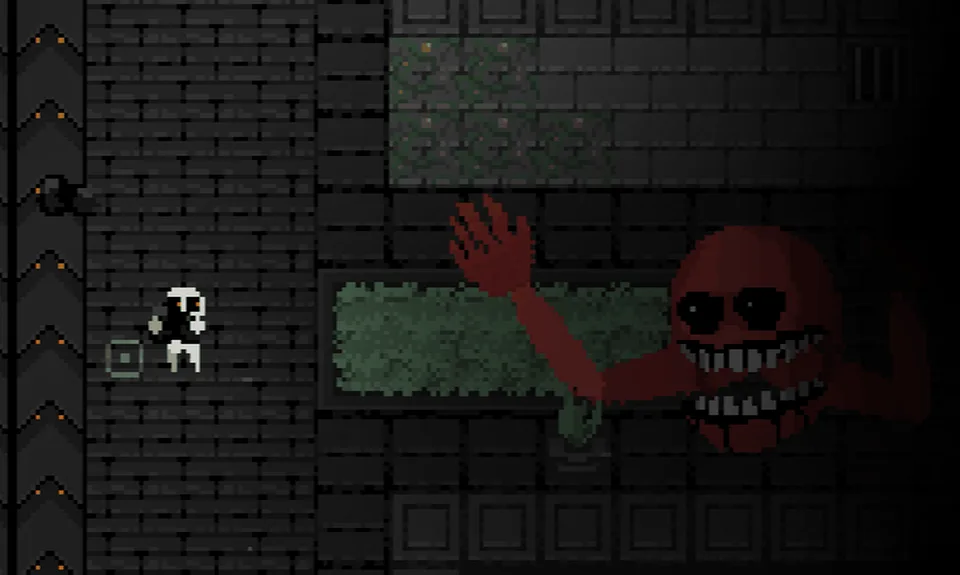
As Cobb Can Move layers abilities, routes that felt safe can turn loud, bright, or too tight—plan before you commit.
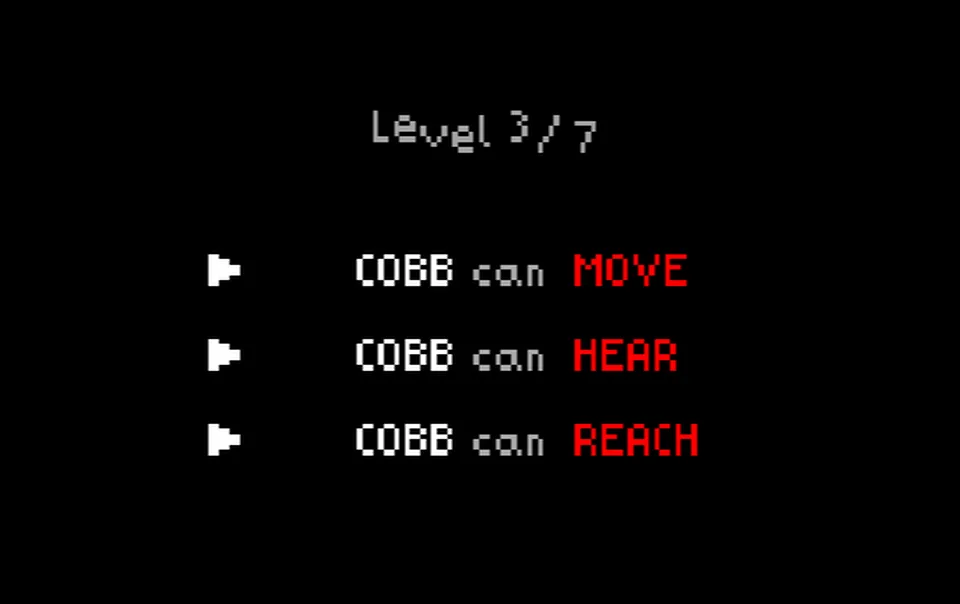
Every Cobb Can Move beat starts with the level text: it tells you what matters before the room asks you to remember it under stress.
How to play Cobb Can Move
- Read the rule line first: Every Cobb Can Move level tells you what matters this round—hearing, sight, smell, reach, or combinations. Treat that text as your briefing: if you move before you understand it, you are planning to lose.
- Move in short, deliberate bursts: Use the keyboard to reposition in small segments. Pick the next corner or cover before you leave the last one; blind sprinting feeds the exact senses Cobb is using against you.
- Interact only when the plan fits: Grab, switch, burn, or trigger objects when the current rules make that route safe enough. A “correct” interaction at the wrong moment is still a loud or bright mistake in Cobb Can Move.
- Clear the objective, then open the exit: Explore until you know what the room wants, complete the task chain, and keep a path in mind so you are not boxed in when Cobb closes distance.
- Sometimes stillness wins: When Cobb can hear, cut noise. When Cobb can see, break line of sight and respect light. When Cobb can smell, do not camp one tile. When reach grows, give the monster more radius than feels fair.
- Keyboard is the real control scheme: Cobb Can Move is tuned for physical keys—stops, taps, and micro-adjustments. Touch screens can open the page but rarely match the precision the rooms expect.
What is Cobb Can Move?
Cobb Can Move — tips for cleaner runs
- Treat each rule as a checklist: Stacking rules is the heart of Cobb Can Move—mentally note what is active before you sprint for an objective.
- Avoid the “obvious” corridor: The loudest or brightest path in Cobb Can Move is often the trap when Cobb can hear or see.
- Give Cobb extra radius: When reach extends, Cobb Can Move punishes tight hugs to walls—leave more space than your eyes think you need.
- Fullscreen helps focus: Use the site fullscreen control so small UI and dark rooms read clearly on laptops.
- Network blocks: School or office filters may block game hosts. Try another network or device if Cobb Can Move never leaves a black frame.
- Short retries: Cobb Can Move runs are compact—quick restarts beat long grinds when you are learning a new rule pair.
Cobb Can Move — FAQ
Basics
What is Cobb Can Move?
Can I play Cobb Can Move online here?
Do I need to download anything?
Controls & tech
Is Cobb Can Move good on mobile?
Why is the game window black or stuck?
Does Cobb Can Move work on school Wi‑Fi?
What should I do first every level?
Cobb Can Move — player notes
Short reactions from fans of rule-stack horror
Finally a horror page that tells me to read the text before I panic sprint. Cobb Can Move clicked once I slowed down.
The player on cobbcanmove.cc loaded clean on my laptop. Fullscreen made the dark rooms way easier to read.
Stacking senses is mean in the best way. Cobb Can Move makes every dumb death feel like my fault—in a motivating way.
Short runs, fast retries. Cobb Can Move fits a coffee break if your nerves can handle it.
Why players return to Cobb Can Move
Rule-driven fear
- Cobb Can Move swaps senses and reach so habits become liabilities.
- Each beat stays readable: text first, then tension.
- Failures usually point to a decision you can fix on the next run.
Browser-first
- No install wall
- Load Cobb Can Move in a modern tab from the player at the top of the page.
- Fullscreen is one click away when the run gets tense.
- Honest about platforms
- Keyboard play is what Cobb Can Move is tuned for.
- Mobile may render the shell but is not the target experience.
What makes Cobb Can Move stick with players
- Rules that rewrite habits: Cobb Can Move keeps attaching new senses to Cobb so old routes become risky without warning.
- Fair failures: Most wipes trace back to a decision you understand after the fact—good fuel for one more Cobb Can Move attempt.
- Readable horror: Dark rooms stay legible: switches, furnaces, and paths stay visible so tension comes from choices, not confusion.
- Punchy sessions: Short horror beats fit lunch breaks—load Cobb Can Move, fail fast, adjust the plan, repeat.
- Cobb Can Move is built for players who like horror that respects your time—clear text, mean combinations, and instant retries.
Cobb Can Move — how pressure ramps
- Layered threats: Early Cobb Can Move levels teach one sense at a time; later rooms expect you to juggle several at once.
- Spatial mind games: Distance, smell, and reach all change how much map is “safe”—the same tile can swing from cover to death box.
- No grind economy: Progress in Cobb Can Move is about execution: read, route, survive—no currency treadmill between you and the next scare.
- Clip-friendly beats: Close calls and rule reveals make Cobb Can Move moments easy to share when you finally nail a clean lap.